How to Make a Dispenser in Minecraft: The Ultimate Step-by-Step Crafting Guide (2025)
If you’ve spent any time exploring the redstone possibilities in Minecraft, you know that dispensers are among the most versatile and game-changing blocks you can craft. Unlike a simple dropper that merely spits out items, a dispenser will actually use or launch many of them – arrows fly, snowballs tumble, fire charges erupt, and splash potions burst. Mastering the dispenser is a rite of passage for any aspiring redstone engineer or survival player who wants to automate farming, create security systems, or build elaborate traps. In this comprehensive tutorial, we will walk you through every single detail of how to make a dispenser in Minecraft, from gathering the initial resources to setting up advanced contraptions that will make your world feel alive with automation.
Even if you’ve never touched redstone before, this guide is designed to be thorough and accessible. We will explain the crafting recipe step by step, discuss the optimal ways to gather cobblestone and redstone, demonstrate the importance of the bow in the recipe, and then move far beyond the basic build. You will learn how to wire your dispenser with redstone repeaters and comparators, how to create a pulse circuit that fires arrows in rapid succession, and how to integrate hoppers so your dispenser never runs out of ammunition. By the time you finish reading, you will not only know how to craft a dispenser but also how to deploy it effectively for farming, defence, and entertainment. So grab your pickaxe and let’s get started – the world of automated Minecraft awaits.
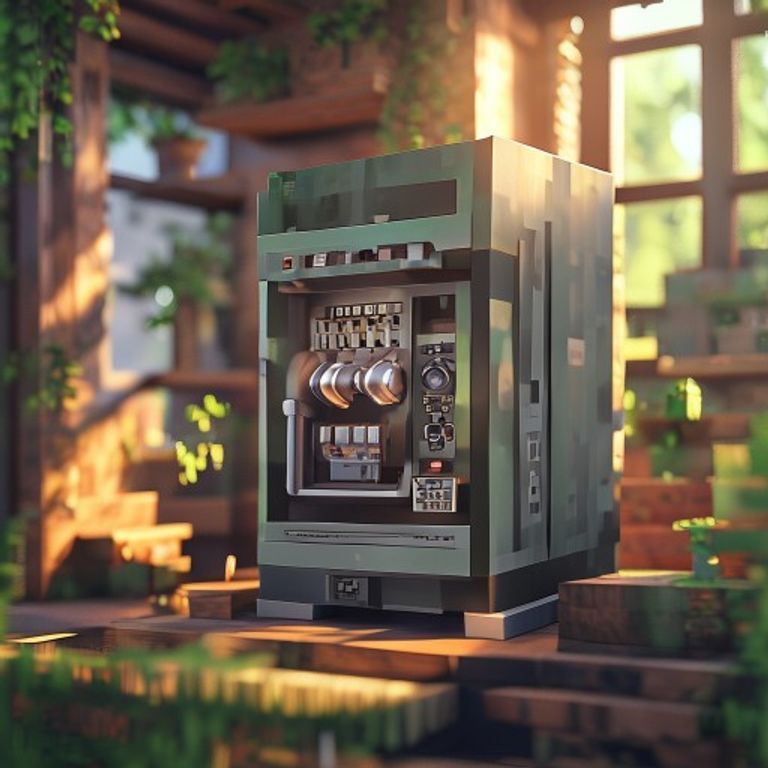
Understanding the Dispenser – What It Does and Why You Need It
Before we dive into the crafting process, it’s important to understand exactly what a dispenser does and how it differs from other redstone mechanisms. At its core, a dispenser is a solid, opaque block that can be crafted with a combination of cobblestone, a bow, and redstone dust. When it receives a redstone signal – whether from a lever, button, pressure plate, or more complex circuit – it will eject the first item in its inventory slot in a specific way. For most items, this means simply dropping them out of the front face of the block, much like a dropper. However, the magic of the dispenser lies in its ability to “use” certain items upon ejection. Arrows become projectiles that fly in a straight line (similar to a bow shot), snowballs and eggs also become projectiles. Splash potions break on impact, fire charges create a single block of fire, and water or lava buckets place a source block directly in front of the dispenser. Flint and steel can even set a fire in the adjacent block. This unique behaviour makes dispensers essential for everything from automated chicken cookers to trap-based arrow launchers for mob grinders.
Another critical aspect to understand is that a dispenser can only hold nine stacks of items (one full inventory row, just like a chest). When power is applied, it ejects exactly one item (or uses one charge of a stackable item, like a fire charge or an arrow). The dispenser will not continue firing unless you provide a pulsed redstone signal – a constant signal will only cause it to activate once. This is a common point of confusion for beginners, but we will address it in detail later. With this foundation in mind, let’s move on to the actual crafting steps.
Step-by-Step Guide to Crafting a Dispenser
Step 1: Gather the Required Materials
To craft a single dispenser, you need exactly seven blocks of cobblestone, one bow, and one piece of redstone dust. That’s it – no diamonds, no iron, and no unusual materials. Cobblestone is abundant and can be obtained by mining stone blocks with any pickaxe (even a wooden one). If you’ve been caving or building, you likely already have stacks of it in your inventory. If not, simply dig down to stone level (Y=11 is classic) and mine away. A stone pickaxe will suffice, but an iron or diamond pickaxe speeds things up. You don’t need to worry about smelting it into smooth stone; raw cobblestone is perfectly fine. The bow, on the other hand, is slightly more involved. Bows are crafted with three sticks and three strings in a specific pattern. If you have a skeleton farm or have killed enough skeletons, you may already have a bow from a drop. But if you need to craft one, you will need sticks (craft from two wooden planks placed vertically in the crafting grid) and string (obtained from spiders or cobwebs). Alternatively, you could trade with a fletcher villager to obtain a bow, but that requires infrastructure. For a new player, the easiest route is to kill spiders at night and craft the bow manually. The redstone dust is mined from redstone ore, found deep underground (levels 1–16). Redstone ore glows faintly and drops 4–5 redstone dust when mined with an iron or better pickaxe. Without an iron pickaxe, you cannot mine redstone ore, so ensure you have upgraded your tools before attempting this step. In short, your shopping list is: 7 cobblestone, 1 bow, and 1 redstone dust.
Step 2: Craft a Bow (If You Don’t Have One)
If you already possess a bow from looting or trading, you can skip this step. However, if you need to craft one from scratch, here is the exact recipe. Open your crafting table (a 3×3 grid). Place three sticks in the left column (slots 1, 4, 7) and three strings in a diagonal pattern starting from the top center slot (slot 2) down through the middle center (slot 5) to the bottom right (slot 9). Alternatively, the Minecraft recipe book will show you the arrangement, but the classic pattern is sticks on the left column and strings in a downward-right diagonal. The result is one bow with full durability. Do not worry about enchanting the bow – a plain bow works perfectly for the dispenser recipe. In fact, you can use a damaged bow as long as it has at least one durability point. If you have multiple bows, you can combine them in an anvil to repair them, but for crafting a dispenser, any bow will do. Keep in mind that using a bow as a crafting ingredient consumes it; you will not get the bow back if you later break the dispenser. So if you have a enchanted bow you love, avoid using it in the recipe. Instead, craft or find a plain one.
Step 3: Craft the Dispenser Using the Crafting Table
Now that you have the materials, place them in the crafting table grid exactly as follows: Fill the entire top row and bottom row with cobblestone – that’s three cobblestone in the first row (slots 1, 2, 3) and three cobblestone in the third row (slots 7, 8, 9). This covers the top and bottom. For the middle row, place the bow in the center slot (slot 5), and then place one piece of redstone dust directly beneath the bow (slot 8? Wait, no – the pattern is different. Let’s clarify: The standard dispenser recipe puts the bow in the center (slot 5) and the redstone dust in the bottom-middle (slot 8). The rest of slots in the middle row are empty (slots 4 and 6). However, many players incorrectly remember the recipe as using all eight cobblestone surrounding the bow, but that is actually the dropper recipe. The dispenser uses seven cobblestone, not eight. To be precise: Top row: cobblestone, cobblestone, cobblestone. Middle row: empty, bow, empty. Bottom row: cobblestone, redstone dust, cobblestone. That uses seven cobblestone total (three top + three bottom + none in middle row) and one redstone. Double‑check the recipe in your version – the official Minecraft Wiki confirms this pattern. After placing everything correctly, a dispenser icon will appear in the result slot. Drag it into your inventory. Now you have your very first dispenser! Repeat the process if you need multiple dispensers – each one requires the same materials. If you have many bows (for example, from a skeleton farm), you can mass-produce dispensers quickly.
Step 4: Mine and Place the Dispenser
With the dispenser in your inventory, you will need to place it in the world. Dispensers can be placed on any solid block surface, and they will face toward you when placed (like most redstone components). To change the direction, sneak (hold Shift) while placing the block, or later rotate it with a wrench if you have mods installed. The front face of the dispenser is the side with the small square hole – this is where items will be ejected. Make sure you place it so the front faces the direction you want the items to go. For example, if you want arrows to shoot horizontally across a hallway, place the dispenser with the hole facing that hallway. If you want to place a water source vertically downward into a pit, you would place the dispenser facing downward (by positioning yourself on top of the target block and sneaking). Once placed, the dispenser behaves like a regular block – you can break it with any pickaxe (preferably one with Silk Touch if you want to preserve the inventory, but that’s optional). Breaking a dispenser without Silk Touch will cause it to drop as an item and spill its contents on the ground. Be careful if you have already loaded it with items. Also, note that a dispenser cannot be moved by pistons; if you push it, it will break into an item. So plan your placement carefully.
Step 5: Fill the Dispenser with Items
Now comes the fun part – loading your dispenser with whatever you want it to shoot or use. To open the dispenser’s inventory, right‑click on it. You will see a single row of nine slots. These slots can each hold a stack of items (up to 64 for most, 16 for snowballs/eggs, and 1 for non‑stackable items like empty buckets or tools). Place your chosen ammunition into these slots. For example, if you want a rapid‑fire arrow launcher, fill every slot with arrows. The dispenser will eject one arrow per activation from the first non‑empty slot, cycling through the slots from left to right. You can also mix items; the dispenser will use whatever is in the leftmost non‑empty slot. This allows you to create combination traps that shoot snowballs, then arrows, then splash potions. However, be aware that using non‑launchable items like dirt blocks will just drop them on the ground, which may clog your contraption. Common useful fillings include arrows (for combat), snowballs (for knockback without damage), eggs (to spawn chickens), splash potions of healing/harming (for mob grinders), fire charges (to ignite nether portals or traps), and water buckets (to create water sources for farming or swimming channels). You can even put in a lava bucket to place a lava source block, but that can cause damage to surrounding blocks if not contained. Experiment with different items to see what your dispenser can do.
Step 6: Power the Dispenser with Redstone (Activation)
A dispenser will not do anything on its own – it needs a redstone signal to activate. There are many ways to provide a redstone signal: you can place a lever directly on the dispenser (or on a block adjacent to it), put a button on the side, stand on a pressure plate nearby, or use a more complex redstone circuit. When you apply power (for example, flick a lever), the dispenser will activate exactly once – it will eject one item from its inventory and then stop, even if the lever remains on. To make it fire repeatedly, you must repeatedly power it. This is achieved by using a redstone clock (a pulse circuit) that rapidly turns the signal on and off. The simplest clock is a redstone torch loop, but the most common for beginners is the “observer clock” or a repeater loop. Another approach is to use a pressure plate that a mob or player steps on repeatedly, which naturally provides pulses. For a continuous arrow stream, you can combine the dispenser with a redstone comparator and a hopper clock. The key point: do not expect a single lever pull to fire multiple shots. If you need a burst of arrows, you can create a pulse extender circuit. In many survival builds, players use a tripwire or a daylight sensor to trigger the dispenser automatically at intervals. As a starting point, simply attach a redstone torch directly to the side of the dispenser – but note that a torch provides constant power, so the dispenser will only fire once (the moment the torch is placed or when it updates). The torch will not cause continuous firing. For continuous fire, use a redstone repeater set to maximum delay and feed it a redstone signal from a lever via a loop. We will cover advanced circuits in the next steps.
Step 7: Advanced Dispenser Contraptions and Redstone Circuits
Now that you have a basic working dispenser, let’s push it further. One of the most popular advanced contraptions is an automatic arrow dispenser that fires repeatedly without manual intervention. To build this, you will need: the dispenser, a hopper (to feed arrows into the dispenser from a chest), a redstone clock, and some repeaters. First, place the dispenser facing the target area. Attach a hopper to the top of the dispenser (or to its side if you want to feed from above), and then place a chest above the hopper. Fill the chest with arrows. The hopper will automatically transfer arrows into the dispenser (one stack at a time, with a cooldown). Next, create a clock: a simple method is to place two redstone repeaters facing each other in a loop with a redstone dust connecting them, and power the loop with a lever and a redstone torch. Alternatively, use an observer clock (two observers facing each other with redstone dust – this creates a very fast pulse). Connect the clock output to the dispenser. Now the dispenser will fire arrows at a regular interval as long as the clock runs and the dispenser has ammunition. For a slower fire rate, add more repeaters in the loop or use a comparator-driven hopper clock. Another advanced use is the “item sorter” or “firework launcher” – you can load fireworks into a dispenser and power it with a clock to create a celebration display. Additionally, you can combine dispensers with flying machines (using slime blocks and observers) to create mobile arrow turrets. The possibilities are nearly endless. For survival players, a practical application is an automatic chicken cooker: place a dispenser with a lava bucket above a water stream that pushes chickens into a collection area. When powered, the dispenser places lava, instantly cooking chickens. Just remember to collect the drops quickly. As you experiment, always consider the timing: fast clocks can drain your ammunition rapidly, so balance your fire rate with your supply.
Tips and Best Practices for Using Dispensers
Tip 1: Use Dispensers for Automatic Farming and Crop Harvesting
Dispensers are not only for weapons – they excel at automating farming tasks. In the current version of Minecraft (Java and Bedrock), a dispenser can use bone meal on crops, saplings, and even on grass blocks to create tall grass or flowers. To automate a carrot or potato farm, set up a dispenser facing the crops from above or from the side. Fill it with bone meal, and pulse it with a redstone clock (every few seconds). The dispenser will apply bone meal to the crop in front of it, speeding up growth. Combine this with a hopper minecart that collects the harvested items and a water stream to push them into a collection chest. Another clever use: dispensers can place water and lava blocks. Use a dispenser with a water bucket to create a controlled water source that washes items into a funnel. Then use another dispenser with a bucket to pick the water back up (if you have a bucket in the dispenser, activating it will collect water from the block in front, turning the water source block into a water bucket in the dispenser). This is perfect for building automatic farms that periodically flush water. Always ensure your dispenser is oriented correctly so the water source block appears where you want it, and remember that a dispenser can only hold nine buckets, so you may need multiple dispensers for large areas.
Tip 2: Integrate Hoppers for Unlimited Ammunition
One of the biggest frustrations with dispensers is that they run out of ammo quickly. By attaching a hopper to the top of the dispenser (or to its side or bottom, depending on orientation), you can automatically refill it from a chest. The hopper will transfer items from the chest into the dispenser at a rate of one item every 0.4 seconds (20 game ticks). If you are using a fast clock, you may deplete the dispenser faster than the hopper can refill it. In that case, use multiple hoppers or a hopper minecart that moves over the dispenser to deliver items quickly. Another advanced trick is to use a comparator to detect when the dispenser is empty and then activate a signal to stop the clock – this prevents the clock from running unnecessarily. Build a circuit: place a comparator reading the dispenser’s inventory (it outputs a signal strength proportional to fullness). When the signal drops to 0, have that signal turn off the clock (e.g., by powering a redstone torch that is part of the clock circuit). This makes your contraption efficient and saves redstone power.
Tip 3: Distinguish Between Dispenser and Dropper – Choose the Right Tool for the Job
Many beginners confuse dispensers with droppers, but they serve different purposes. A dropper will simply drop items out as an item entity, never “using” them. This means a dropper can be used to shoot items like arrows, but they will drop as a pickupable item, not as a projectile. A dispenser, on the other hand, will fire arrows, launch snowballs, use bone meal, etc. So if you want to build a weapon turret, use a dispenser. If you want to move items between inventories (like a vertical item transport), use a dropper. Another difference: when a dispenser is powered and has a bucket of water, it places water; a dropper will drop the bucket itself. So for farming with flowing water, always choose a dispenser. The table below summarizes the key differences to help you decide.
| Feature | Dispenser | Dropper |
|---|---|---|
| Action on activation | Uses certain items (shoots arrows, places water, etc.) | Ejects the item as a dropped item entity |
| Inventory size | 9 slots (one row) | 9 slots (one row) |
| Can shoot arrows? | Yes, as projectiles | No, only drops arrow items |
| Can place water/lava? | Yes, with buckets | No, drops the bucket as item |
| Crafting recipe | 7 cobblestone + 1 bow + 1 redstone | 7 cobblestone + 1 redstone |
| Best for | Traps, turrets, automatic farming | Item transport, sorting systems |
Tip 4: Safety First – Dispensers with Fire Charges or Lava Can Be Dangerous
Because dispensers can place fire and lava, they pose a risk to your wooden builds and your own safety. If you are using a dispenser to ignite a nether portal or to create a trap, always test the placement in a safe area first. Lava placed by a dispenser will flow out and can burn you or destroy items on the ground. Fire charges create a single block of fire that can spread if placed near flammable blocks. To prevent accidents, build your contraptions with non‑flammable blocks like stone, cobblestone, or nether bricks. Also, be careful when using dispensers with splash potions of harming – they can damage you if you are standing too close. When building an automatic chicken cooker, place the lava dispenser above the killing chamber but ensure there is a non‑flammable block between the lava and your collection chest. It’s also wise to put a water dispenser nearby as a safety switch to extinguish accidental fires. Always keep a bucket of water in your off‑hand when testing lava dispensers.
Frequently Asked Questions about Dispensers in Minecraft
Q1: Can a dispenser shoot arrows without a bow inside?
No, a dispenser does not need a separate bow to shoot arrows. The dispenser itself is the mechanism that fires the arrows. The bow used in the crafting recipe is consumed to make the dispenser functional as a launcher. Once crafted, you simply put arrows into the dispenser’s inventory, and when activated, it will fire them as projectiles exactly as if you shot them from a bow, but with no damage variation – they always deal the same damage as a fully charged bow shot (unless the version has changed). So you do not need to keep a bow inside; the dispenser is the weapon.
Q2: How do I make a dispenser shoot continuously?
To make a dispenser fire repeatedly, you need to provide a pulsing redstone signal. A simple redstone clock works: for example, two redstone repeaters facing each other with redstone dust connecting their inputs and outputs, and a lever to start the loop. Another common design is an observer clock: place two observers facing each other with redstone dust in between – this creates a very fast pulse. Connect the output to the dispenser. If you want a slower rate, add repeaters set to longer delays. You can also use a hopper clock that outputs a pulse every time a hopper transfers an item – this is more controllable and can be turned off by stopping the item flow.
Q3: Can dispensers place blocks or water?
Dispensers can place certain blocks, but not all. They can place water source blocks (with a water bucket), lava source blocks (with a lava bucket), fire (with flint and steel or a fire charge), and they can use bone meal on a block (but not place the bone meal as a block). They can also place minecarts or boats on rails? No – a dispenser can dispense a minecart, but it will place it as an entity on the rail if the dispenser is facing towards the rail. Similarly, boats can be placed on water. But for general blocks like dirt or stone, a dispenser will just drop them as an item. The rule of thumb: if the item can be “used” by right‑clicking, the dispenser will attempt to use it. Otherwise, it becomes a dropped item.
Q4: Why is my dispenser not working?
There are several common reasons. First, ensure the dispenser has items in its inventory – an empty dispenser does nothing. Second, check that you are providing a redstone signal. Remember that a constant signal (like a lever) only activates it once; you need a pulse for each shot. Third, verify the orientation – the front face (the hole) must be pointing toward the target. If you placed it backwards, items will eject into a wall. Fourth, make sure the dispenser is not being powered by an adjacent block that might be causing a short circuit. For example, if you place a redstone torch on the block next to the dispenser, it may power the dispenser continuously. Finally, check for updates – in some older versions, dispensers behaved differently. Always test with a simple lever and a single arrow to isolate the problem.
Q5: Can I rename a dispenser with an anvil?
Yes, you can rename a dispenser by placing it in an anvil and renaming it, just like any other item. Renaming does not affect functionality but can help you organize your inventory or label contraptions. However, note that the name change only applies to the item itself before placement. After you place a dispenser, it will appear as “Dispenser” in the world (unless you use a renamed item frame or a sign). To rename a placed dispenser, you would need to break it and rename it again. It’s a minor cosmetic feature but useful for large builds.
Q6: What is the maximum range of a dispenser when shooting arrows?
When a dispenser shoots an arrow, the arrow travels exactly the same distance as an arrow shot from a fully charged bow. In Minecraft, that distance is approximately 24 blocks horizontally (on flat ground) before the arrow begins to drop. However, accuracy is not perfect – the arrow will have some random spread, similar to a bow shot while moving. If you need long‑range sniping, a dispenser is not the best choice because you cannot aim precisely. For close to medium range (up to 15 blocks), it works well. Also note that the arrow can travel further if shot from a height or with a headwind (not in the game). So for mob grinders, place your dispenser no more than 10 blocks from the target for reliable hits.
Conclusion
You have now mastered the art of creating and using a dispenser in Minecraft. From gathering the humble materials of cobblestone, string, sticks, and redstone to crafting the bow and assembling the block itself, every step is straightforward once you understand the recipe. But as we’ve seen, a dispenser is far more than a simple crafting output – it’s a gateway to automation, creativity, and efficiency. Whether you are building a trap that fires arrows at invading mobs, an automatic farm that waters crops and applies bone meal, or a firework show that dazzles your friends, the dispenser will be your most reliable redstone companion. Remember to experiment with different items, master the pulse circuit, and always keep safety in mind when using lava or fire. The table below summarizes some of the most useful dispensable items for quick reference.
| Item | Effect when dispensed |
|---|---|
| Arrow | Shoots as a projectile (damage similar to full bow) |
| Snowball | Throws as projectile (knockback, no damage to most mobs) |
| Egg | Throws as projectile (may spawn chicken) |
| Splash Potion | Brewing stand effect applied to area on impact |
| Fire Charge | Creates a fire block where the charge lands |
| Water Bucket | Places a water source block in front of the dispenser |
| Lava Bucket | Places a lava source block (caution!) |
| Bone Meal | Applies bone meal to the block directly in front (crops, saplings, etc.) |
| Flint and Steel | Sets the block in front on fire |
With this knowledge in hand, go ahead and place your first dispenser. Fill it with arrows, hook it up to a redstone clock, and watch as a stream of projectiles keeps your base safe. Or build a fully automated chicken farm that cooks and collects without any manual work. The possibilities are only limited by your imagination and your supply of redstone. Dispensers are a gateway to understanding deeper redstone mechanics like pulse widths, item sorting, and sequential activation. Once you’re comfortable, try combining multiple dispensers with hoppers and comparators to create a multi‑shot trap that fires in sequence. Happy crafting, and may your arrows always find their mark!
